Disclosure: We earn from qualifying Amazon purchases at no extra cost to you. Learn more.
⌨️ Ergonomic Keyboards

The Best Ergonomic & Split Keyboards

Most typing-related wrist and shoulder pain is caused by a standard keyboard forcing your hands into unnatural positions for hours every day. Split and ergonomic keyboards fix the root cause — not just the symptoms. We tested 15 keyboards across every style and budget to find the ones that are genuinely worth your money and your adjustment period.
15 keyboards tested
Updated 2026
No sponsored picks
Jump to: Budget (Under $80) Mid-Range ($80–$200) Premium ($200+) Buying Guide FAQ

Why It Matters

Why Your Keyboard Is Causing Wrist and Shoulder Pain

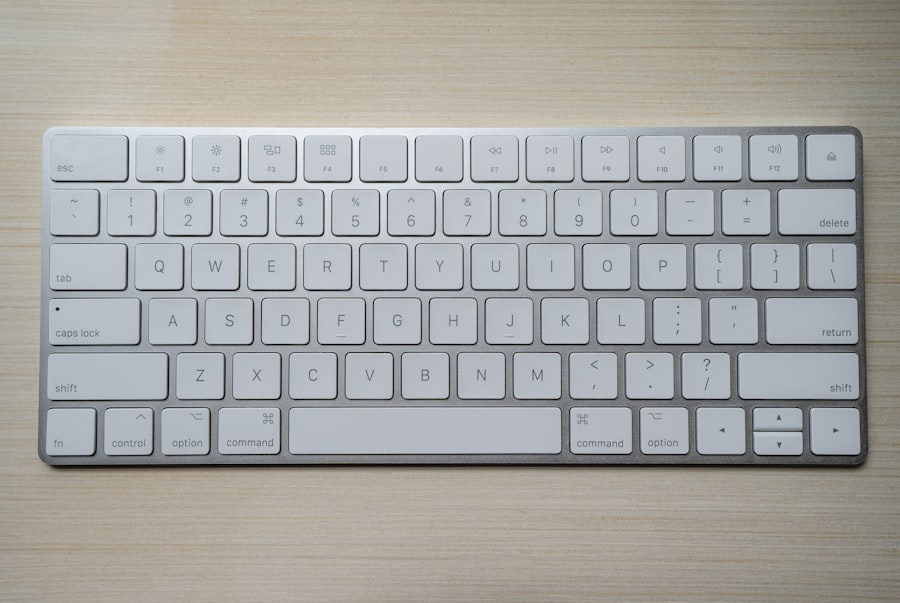
A standard keyboard forces both hands onto a single flat surface, creating two compounding biomechanical problems. The first is ulnar deviation — your wrists angle outward toward your pinkies because the keyboard is narrower than your shoulder width. The second is forearm pronation — your palms face down because the keyboard is flat. Both conditions create sustained tension in the wrists, forearms, and shoulders. Held for 6–8 hours a day over months and years, this leads to repetitive strain injuries, carpal tunnel syndrome, and chronic shoulder tightness that doesn't go away with stretching alone.

A split keyboard separates the two halves so each hand sits at natural shoulder width — eliminating ulnar deviation entirely. A tented keyboard raises the inner edges to reduce forearm pronation. Contoured keyboards like the Kinesis Advantage go further still, sinking each key cluster into a bowl shape that reduces finger travel distance by up to 50% and eliminates the vertical reaching that strains the tendons above your knuckles.

Switching keyboards has a steeper adjustment curve than any other ergonomic product — expect 2–6 weeks depending on how radically different the layout is from what you're used to. But for people with chronic wrist or shoulder symptoms, it is one of the highest-impact changes possible. Pair your new keyboard with a quality wrist rest, the correct keyboard tray height, and a vertical mouse for a genuinely pain-free typing setup. Read more on Wikipedia's ergonomic keyboard article.

30°

Ulnar deviation on a standard keyboard

A regular flat keyboard forces your wrists approximately 30° outward from neutral — one of the primary biomechanical drivers of carpal tunnel syndrome and RSI.

50%

Less finger travel on contoured keyboards

Keyboards like the Kinesis Advantage360 can reduce total finger travel distance by up to 50% compared to a standard layout, dramatically reducing cumulative tendon strain.

4wk

Average speed-recovery period

Most users return to their previous typing speed within 3–4 weeks on a fixed-split board. True-split boards with column stagger take 5–8 weeks. The slowdown is temporary; the benefit is permanent.

15

Keyboards tested for this guide

We evaluated 15 keyboards across fixed-split, true-split, tented, and contoured categories — using each for extended periods before scoring.

Our Picks

Best Ergonomic Keyboards — All Budgets

BudgetBest Under $80$30 – $75
Microsoft Sculpt Ergonomic Keyboard
8.8

The Microsoft Sculpt is the easiest entry into ergonomic keyboards — no learning curve, no setup complexity. The fixed-split angled design immediately reduces ulnar deviation, the cushioned palm rest adds wrist support, and the wireless USB dongle keeps your desk clean. If you've never used an ergonomic keyboard and want the gentlest possible transition, this is your board.

Pros
  • Easiest transition available
  • Built-in cushioned palm rest
  • Wireless USB dongle
  • No key layout relearning
Cons
  • Fixed split — not adjustable
  • Dome switches only
  • No backlighting
  • Dome switches wear faster
WirelessFixed splitDome switchesWrist rest included
⭐ Check Price on Amazon
Logitech K860 Ergonomic Keyboard
8.5

The K860 refines the fixed-split formula with a longer, more supportive wrist rest and a more pronounced wave key layout that follows the natural curve of your fingers. Quieter than most ergonomic boards in this price range, and the dual wireless connectivity (Bluetooth + USB dongle) makes it versatile for multi-device setups.

Pros
  • Long supportive wrist rest
  • Bluetooth + 2.4GHz dual wireless
  • Quieter than Sculpt
  • Wave key layout
Cons
  • Fixed split only
  • Dome switches
  • Large desk footprint
  • No backlight
BT + 2.4GHzFixed splitDomeLonger rest
⭐ Check Price on Amazon
Kensington Pro Fit Ergo Wireless Keyboard
8.0

Kensington delivers dual wireless (Bluetooth + 2.4GHz), a split layout, and a detachable palm rest in one compact, affordable package. One of the best-value wireless ergonomic keyboards available — a smart choice for users who prioritise wireless freedom on a tight budget.

Pros
  • Dual wireless modes
  • Detachable palm rest
  • Compact for an ergo board
  • Quiet key feel
Cons
  • Fixed split only
  • Basic build quality
  • Average key travel
  • No tenting
BT + 2.4GHzDetachable restFixed splitCompact
⭐ Check Price on Amazon
Perixx PERIBOARD-512 Ergonomic Keyboard
7.8

The most affordable genuine ergonomic improvement you can make to your keyboard setup. The Perixx 512's fixed split and wave layout deliver real wrist angle improvement over any flat keyboard — at a price lower than most mice. Build quality is functional rather than impressive, but the ergonomic benefit is real.

Pros
  • Lowest price on our list
  • Real ergonomic benefit
  • Wired reliability
  • No pairing or batteries
Cons
  • No wireless option
  • Basic build
  • No palm rest
  • Limited adjustment
WiredFixed splitBudget pickWave layout
⭐ Check Price on Amazon
Jelly Comb Wireless Ergonomic Keyboard
7.6

A Bluetooth fixed-split board with a built-in palm rest and a clean, minimal aesthetic. Battery life is good and the Bluetooth connection is stable across devices. A practical option for budget-conscious users who need wireless without spending on the K860.

Pros
  • Bluetooth wireless
  • Built-in palm rest
  • Compact design
  • Clean aesthetic
Cons
  • Basic key feel
  • Light build quality
  • Limited key travel
  • Fixed split only
BluetoothBuilt-in restWave layoutWireless budget
⭐ Check Price on Amazon
Mid-RangeBest $80–$200$99 – $329
Kinesis Freestyle2 Pro
9.1

The definitive true-split keyboard for most users. The Freestyle2 separates into two completely independent halves connected by a cable you can extend up to 20 inches — letting you position each hand precisely at shoulder width. Available with mechanical switches (Cherry MX Brown, Red, or Blue) and compatible with the optional VIP3 tenting kit for up to 15° tilt. This is where genuine ulnar deviation elimination begins.

Pros
  • True separate halves
  • Up to 20" separation
  • Mechanical switches available
  • Tenting accessory compatible
  • Mac + PC layouts
Cons
  • Tenting kit sold separately
  • No wireless option
  • Requires adjustment period
  • Assembly for tenting
True split20" cableMechanicalTenting compatible
⭐ Check Price on Amazon
Logitech Wave Keys Wireless
8.4

Logitech's newer wave-layout board improves on the K860 with better key feel, quieter operation, and multi-device Bluetooth pairing for up to 3 devices. The comfortable palm rest and well-executed wave layout make it one of the most polished fixed-split keyboards available for everyday professional use.

Pros
  • 3-device Bluetooth
  • Quieter than K860
  • Comfortable palm rest
  • Easy daily use
Cons
  • Fixed split only
  • Dome switches
  • No tenting
  • No mechanical option
Bluetooth 3-deviceFixed splitQuieterMulti-device
⭐ Check Price on Amazon
Microsoft Surface Ergonomic Keyboard
8.3

The Surface Ergonomic features Microsoft's alcantara fabric palm rest — a material typically found on premium laptops — that is genuinely luxurious to rest your hands on during long sessions. The split angle and cushioned rest make it one of the most comfortable fixed-split boards available, and the Bluetooth connection is solid with excellent battery life.

Pros
  • Alcantara fabric palm rest
  • Premium build quality
  • Bluetooth wireless
  • Quiet, comfortable keys
Cons
  • Fixed split only
  • Bluetooth-only (no dongle)
  • Expensive for features
  • No mechanical option
BluetoothAlcantara restFixed splitPremium feel
⭐ Check Price on Amazon
Matias Ergo Pro Quiet Mechanical Keyboard
8.6

The Matias Ergo Pro splits fully, tents to 8°, and uses Matias's own quiet click switches — a legitimate mechanical alternative to Cherry MX that produces a satisfying tactile bump without the loud click. One of the few keyboards in this price range offering true split, built-in tenting, and mechanical switches simultaneously.

Pros
  • True split with tenting included
  • Quiet mechanical switches
  • Built-in 8° tenting
  • Solid construction
Cons
  • No wireless option
  • Older keyboard design
  • Limited programmability
  • Canadian brand availability
True splitMechanical quiet8° tenting built-inMac + PC
⭐ Check Price on Amazon
Dygma Defy Wireless Split
9.3

Dygma's Defy is the most feature-complete mid-to-high-end split keyboard available. Per-key RGB, hot-swappable switch sockets (compatible with most MX switches), full wireless with a dedicated base station, and adjustable tenting from 0–60°. If budget allows, this is the keyboard you'll grow into for years.

Pros
  • Hot-swap switches
  • Full wireless split
  • Per-key RGB
  • 0–60° tenting
  • Thumb clusters
Cons
  • Very expensive
  • Long setup and learning curve
  • Overkill for most users
  • Requires configuration time
True splitWirelessHot-swapRGBThumb clusters
⭐ Check Price on Amazon
PremiumBest $200+$329 – $399
Kinesis Advantage360 Professional
9.6

The Kinesis Advantage360 is the pinnacle of ergonomic keyboard design. Its concave key wells place each keycap precisely at the natural position of your fingertip — eliminating both ulnar deviation and excess finger extension in one design. Fully wireless, fully programmable with SmartSet software, hot-swappable switches, and available with Cherry MX, Gateron, or Kailh switches. It takes weeks to fully adjust but delivers the best ergonomic typing experience available.

Pros
  • Concave key wells — best ergonomics
  • Wireless via Bluetooth
  • Hot-swappable switches
  • Fully programmable SmartSet
  • Multiple switch options
Cons
  • Very expensive
  • Longest adjustment period of any keyboard
  • Compact layout requires relearning
  • Heavy and large
True splitConcave wellsWirelessHot-swapSmartSet
⭐ Check Price on Amazon
Moonlander Mark I by ZSA
9.3

The Moonlander is the keyboard most loved by programmers for its Oryx browser-based programming software, adjustable thumb clusters, column-stagger layout, and extreme tenting up to 90°. Hot-swappable switches mean you can change your switch type without soldering. A cult favourite in the mechanical keyboard community — for good reason.

Pros
  • Fully programmable via Oryx
  • Up to 90° tenting
  • Column-stagger layout
  • Hot-swap switches
  • Adjustable thumb clusters
Cons
  • Complex initial setup
  • Smaller community than ErgoDox
  • Expensive
  • No wireless
True splitHot-swap90° tentingOryx programmableColumn stagger
⭐ Check Price on Amazon
ErgoDox EZ Glow
9.1

The ErgoDox EZ is the keyboard that popularised the open-source ergonomic layout. The Glow version adds per-key RGB and comes fully assembled. Large thumb clusters, column-stagger layout, and a massive community of keyboard enthusiasts sharing layouts and modifications. The keyboard you can customise endlessly.

Pros
  • Open-source layout
  • Per-key RGB
  • Large thumb clusters
  • Massive community
  • Fully assembled
Cons
  • No wireless option
  • Requires layout learning
  • Expensive
  • Heavier than alternatives
True splitColumn staggerRGBOpen-sourceProgrammable
⭐ Check Price on Amazon
Keyboardio Model 100
9.0

A beautifully crafted sculpted split keyboard with hand-carved wooden palm rests and a key cluster that curves to match your fingers' natural reach. Fully programmable, hot-swappable, and built with a quality that suggests it will last decades rather than years. The most aesthetically striking keyboard on this list.

Pros
  • Sculpted key clusters
  • Hand-carved wooden rests
  • Hot-swappable switches
  • Beautiful premium build
  • Fully programmable
Cons
  • Very niche layout
  • Longest aesthetic adjustment
  • No wireless option
  • Heavy packaging
True splitSculptedWooden restsHot-swapProgrammable
⭐ Check Price on Amazon
ZSA Voyager Ultra Low-Profile
8.9

ZSA's most portable true-split keyboard. Ultra-low-profile switches give a laptop-like key feel while maintaining the full ergonomic benefits of a column-stagger true-split layout. Folds flat for travel. Programmable via the same Oryx software as the Moonlander — making it a great choice for users who work in multiple locations.

Pros
  • Ultra low-profile
  • Column stagger
  • Folds flat for travel
  • Oryx programmable
  • Compact
Cons
  • Low key travel (personal preference)
  • No tenting capability
  • Wired only
  • Expensive for size
True splitLow-profilePortableOryx programmableColumn stagger
⭐ Check Price on Amazon

Buying Guide

How to Choose the Right Ergonomic Keyboard

Six things to understand before spending your money.

Fixed vs True Split

Fixed-split keyboards are one piece — the two halves are angled but physically joined. No learning curve for finger positioning. True-split keyboards are two completely separate pieces you position freely at shoulder width. More ergonomic but requires a significant adjustment period. Start fixed if you're uncertain.

Tenting Angle

Tenting raises the inner edges of the keyboard, rotating your hands toward a more natural handshake position. 5–10° is noticeable and well tolerated. 15–20° is significant ergonomic improvement. Anything over 45° is for advanced users. Start low and increase gradually over weeks.

Switch Type

Dome switches (membrane) are quiet and require less force — fine for ergonomic benefit. Mechanical switches offer distinct tactile feedback, longer lifespan, and in some cases lighter actuation that reduces finger fatigue. For offices, linear (smooth/quiet) or quiet tactile switches avoid disturbing others.

Wired vs Wireless

Wireless adds desk cleanliness and eliminates cable drag on your arms. Wired is simpler and more reliable. For true-split wireless keyboards, the two halves need to communicate — premium boards handle this well but it adds complexity and cost. For office use, wireless is convenient. For gaming, wired is safer.

Programmability

Budget keyboards have fixed key layouts. Mid-range and premium boards often support key remapping via software or QMK/ZMK firmware — letting you move keys to more comfortable positions, create macros, or remap modifier keys. If you use shortcuts heavily, programmability compounds the ergonomic benefit significantly.

Transition Strategy

Don't go from a flat keyboard straight to a concave-well programmable split. The adjustment is too jarring. Start with a fixed-split board for 3–4 weeks. Then move to a true-split if needed. Add tenting after you've adjusted to the split. Each step takes time — gradual transitions succeed where cold turkey fails.

Side by Side

Full Comparison — All 15 Keyboards

Every keyboard on our list compared at a glance.

KeyboardTierConnectionSplit TypeSwitchesScoreBest For
Microsoft Sculpt ErgonomicBudgetWirelessFixed splitDome8.8Easiest transition
Logitech K860BudgetBT + 2.4GHzFixed splitDome8.5Wrist rest + wireless
Kensington Pro Fit ErgoBudgetBT + 2.4GHzFixed splitDome8.0Wireless on a budget
Perixx PERIBOARD-512BudgetWiredFixed splitDome7.8Cheapest ergonomic
Jelly Comb WirelessBudgetBluetoothFixed splitDome7.6BT on a budget
Kinesis Freestyle2 ProMid-RangeWiredTrue splitMech/Dome9.1Best true split
Logitech Wave KeysMid-RangeBluetoothFixed splitDome8.4Multi-device wireless
Microsoft Surface ErgoMid-RangeBluetoothFixed splitDome8.3Premium fixed split
Matias Ergo ProMid-RangeWiredTrue split + tentingMech quiet8.6Quiet mechanical
Dygma Defy WirelessMid-RangeWirelessTrue splitHot-swap9.3High-end wireless
Kinesis Advantage360 ProPremiumWirelessConcave wellsHot-swap9.6Best ergonomics
Moonlander Mark IPremiumWiredTrue splitHot-swap9.3Best for programmers
ErgoDox EZ GlowPremiumWiredTrue splitHot-swap9.1Best open-source
Keyboardio Model 100PremiumWiredSculptedHot-swap9.0Most beautiful build
ZSA VoyagerPremiumWiredTrue splitLow-profile8.9Best portable split

FAQ

Frequently Asked Questions

Most users return to their previous typing speed within 3–4 weeks on a fixed-split board and 5–8 weeks on a fully separated true-split with column stagger. The first week is typically the most frustrating — speed can drop to 40–60% of normal as your brain rebuilds motor patterns. This is completely normal. Touch typing ability before switching accelerates recovery significantly. Expect discomfort but not pain — if you feel wrist pain, stop and check your setup.
No. The ergonomic benefit comes from the split layout and typing angle — not the switches. The Microsoft Sculpt uses dome switches and provides genuine wrist and shoulder relief. Mechanical switches add tactile feedback, durability, and often lighter actuation that some users find reduces finger fatigue — but these are enhancements, not requirements.
Standard keyboards use row-stagger — each row of keys is offset horizontally. This was designed for typewriter mechanisms to prevent jamming, not for human hands. Column-stagger keyboards align keys in straight vertical columns matching the natural up-down movement of your fingers, eliminating the lateral reaching that strains tendons. Most people find column stagger noticeably more comfortable once adjusted — but it requires fully relearning key positions, which takes 6–10 weeks.
At $50–$100 (fixed-split), the value is excellent — you get real ergonomic improvement with minimal adjustment. At $300–$400 (premium true-split), you are paying for programmability, premium switches, custom tenting, and build quality designed to last a decade. If you type 6–8 hours daily with chronic wrist or shoulder pain, the maths strongly favour the investment.
The Kinesis Advantage360 is specifically recommended by many occupational therapists for carpal tunnel sufferers — its concave key wells and full split design address the biomechanical root causes most directly. For a more approachable starting point, the Kinesis Freestyle2 with the VIP3 tenting kit offers similar deviation correction at a significantly lower price. Always consult a healthcare professional if you have diagnosed carpal tunnel syndrome.
A complete ergonomic typing setup includes: your ergonomic keyboard, a keyboard tray to position it at the correct height (elbows at 90°), a wrist rest for resting periods between typing bursts, and a vertical mouse positioned at the same height. See our home office setup guide for the full workstation calibration process.

Our Final Verdict on Ergonomic Keyboards

Switching to an ergonomic or split keyboard is one of the most impactful changes you can make to your workstation — targeting the root biomechanical causes of wrist, forearm, and shoulder pain rather than managing symptoms after they develop. The investment in adjustment time pays compound returns for every year you continue working at a keyboard.

The Microsoft Sculpt remains the best frictionless entry point — plug it in and your typing posture immediately improves, with no relearning required. The Kinesis Freestyle2 Pro is our sweet spot recommendation: true split, mechanical switch options, genuine ulnar deviation elimination, and a price that doesn't require a budget conversation with yourself. The Kinesis Advantage360 Pro is in a class of its own — the best ergonomic keyboard ever made, for anyone serious about long-term typing comfort and willing to commit to the adjustment.

Remember: a keyboard alone addresses only part of the ergonomic puzzle. Pair your new board with the correct keyboard tray height, a quality wrist rest, and a vertical mouse for a setup that genuinely protects your body over years of daily use. Your future self — the one without the wrist brace — will thank you.

Ready to Type Without the Pain?

Start with our top pick or explore every ergonomic workspace category on ErgogadgetPicks.